When do you find out that an expected margin of €30,000 turned into €20,000? At Odoo Experience 2026 in Brussels, the answer was illustrated using a €100,000 fixed-price sample project. In the example, it only became clear afterwards where costs had increased. The question is when you notice it, and whether you can still talk to the client.
This article is based on the recordings of three talks: on project profitability, on quoting and on timesheets. What I write applies to the Odoo 20 version that was shown. It is written for construction, contracting, events and development companies, in other words for anyone who takes on work at a fixed price and works out only afterwards how much is left.
Where does the project margin slip?
The speaker, Dries, chose the fit-out of the Odoo Experience main hall as the example. Fixed price: €100,000. As well as the hours worked, the sample project took subcontractor costs and material purchases into account.
The example put two numbers side by side. According to the quote, they expected a margin of €30,000. At the end of the project, €20,000 was left.
The monthly breakdown showed that the design cost jumped at the end of the project. The reason was that the client made changes late.
The same pattern appeared in several projects when the speaker showed the whole portfolio. The design cost grew at the end in more than one project. If you see this earlier, you can still talk to the client before the change feeds into the cost. Afterwards, you only see the final cost.
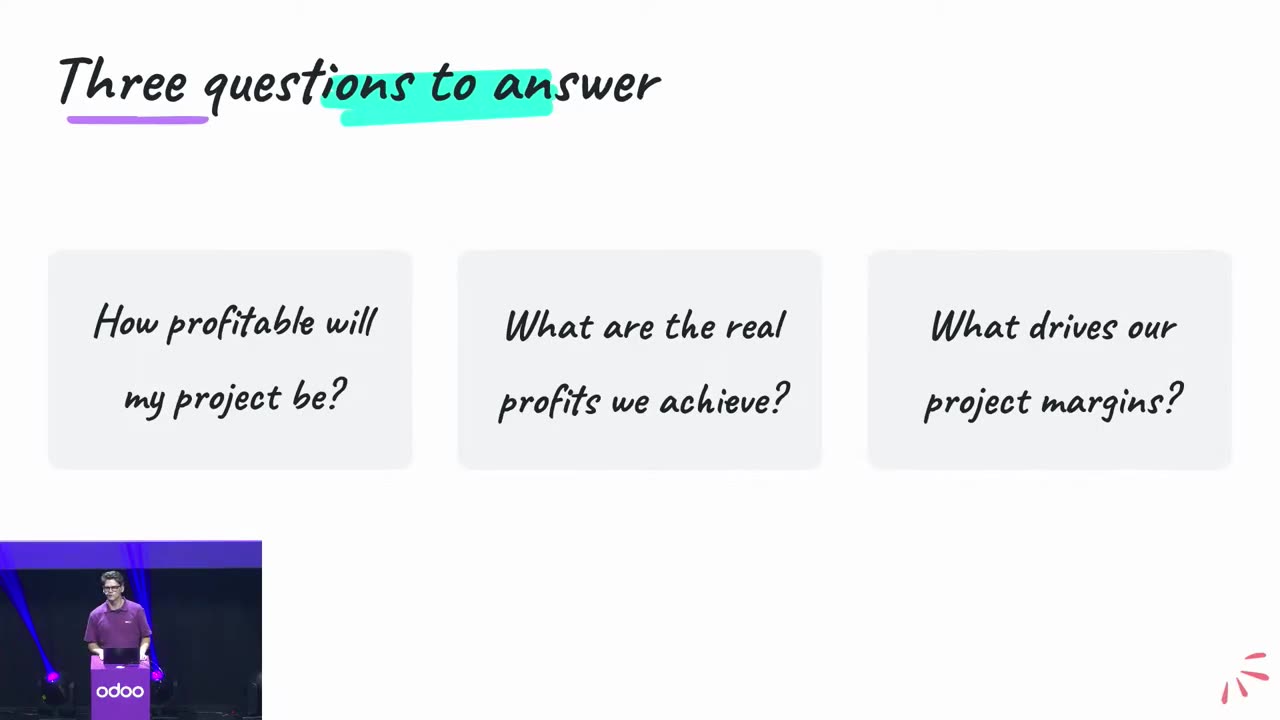
On your own project, first check whether you have an answer to these three questions:
- Who records it when the client makes a change? In the example, the late change ate into the margin.
- Who watches the budget while the project is running? In the budget that was shown, the timesheet, the confirmed purchase order and the vendor bill that has been received already appear as committed.
- Who decides on extra work before the cost shows up? Odoo does not block anything when you overspend; it does not make this decision for you.
It is worth settling these before you look at the software. The rest of the article shows what Odoo 20 adds to this.
The presentation went from the expected margin, through tracking the budget, to analysing the actual result. I take the three parts in turn.
Source: Odoo Experience 2026, the official Odoo recording
Up front: the expected margin per order line
The first new screen is called Forecasted Margin. It shows the expected margin for the lines of the sales order, and in the example this came to €30,000 in total. The useful part is the breakdown by line. For logistics and on-site installation, the margin was only 13 per cent, and it stood out from the rest.
Where does the data come from? From the expected cost entered on the product form and from the quantity. In other words, you have to keep the costs on your products up to date before you quote.
Three details from the Q&A part of the talk matter:
- Only the confirmed purchase order appears in the forecast, not the request for quotation (RFQ).
- If two colleagues have different hourly rates, they need separate products. The forecast uses the product's cost in its calculations.
- On the order, you can overwrite the cost and the margin line by line.
Along the way: budget by phase
The second step is the analytic budget, called Budgets in Odoo. The cost centre here is the project phase. Three columns show where you stand:
- Commitment: what you have planned.
- Committed: what you have already committed. This includes the timesheet, the confirmed purchase order and the vendor bill that has been received.
- Achieved: the actual value. In the demo, the posted vendor bill also appeared in this column.
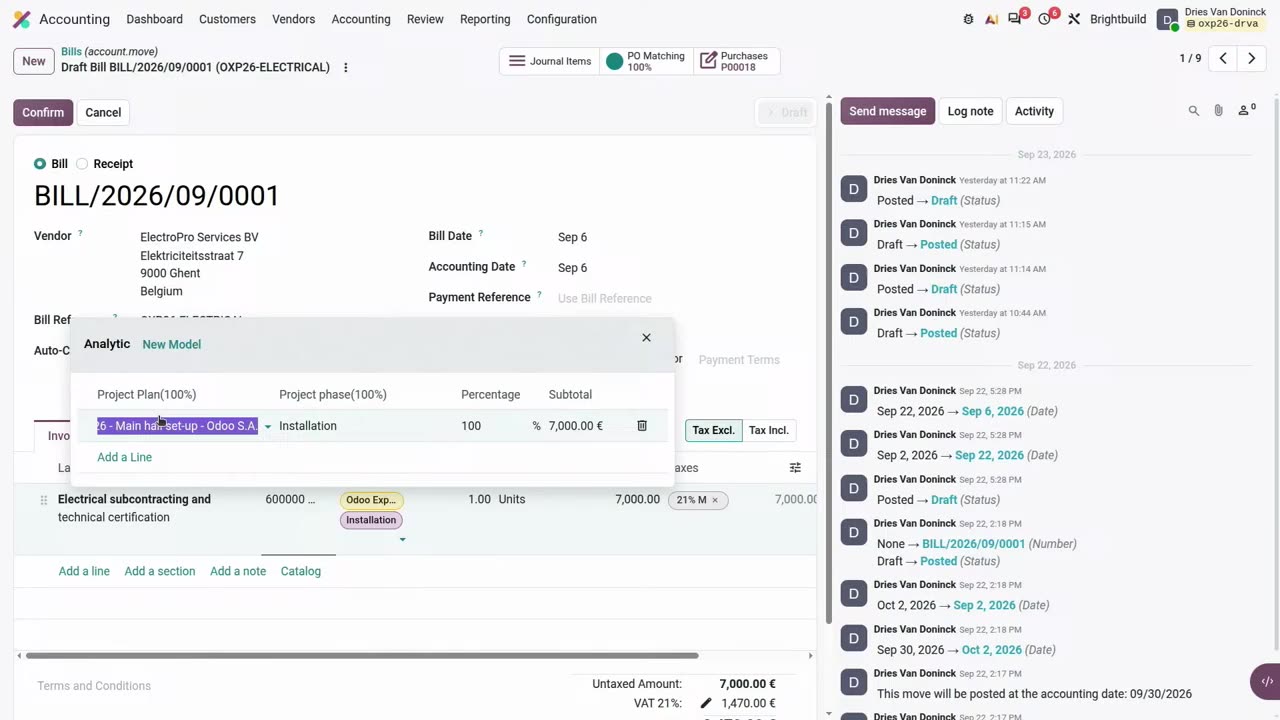
On a vendor bill, you can use two analytic plans at the same time. In the demo, a €7,000 electrical installation bill was assigned to the project (100 per cent) and to the project phase (also 100 per cent) at once. The posted bill creates analytic items, and the Achieved column of the budget starts to grow.
Source: Odoo Experience 2026, the official Odoo recording
This is the part that, according to the speaker, saves a lot of work: the analytic distribution models. According to the speaker, Odoo splits the bill automatically based on a criterion, for example the product. During implementation, you need to check that the rule applies the intended project and phase allocations to the correct bill lines. Without a rule, you need to allocate each line individually.
It is worth setting this up together with your accountant.
According to the talk, the analytic account set on the project also carries over to invoices created from that project. One important limit: Odoo does not block overspending automatically. If you exceed the budget, you can update it in a way that keeps the old values. You do not see the budget and the margin in one view, but they can be put together into one table.
An accurate retrospective view: Real Margin and the portfolio report
The third new screen is Real Margin. It builds a summary pivot report from analytic accounting entries (timesheets, vendor bills and customer invoices). In the example, this revealed that the margin was €20,000 rather than the expected €30,000. The monthly breakdown showed in which month the additional costs were incurred.
You can turn it into a chart or a table, and you can also put it on a dashboard.
One difference worth knowing: the expected margin is calculated using the cost set on the product, while Real Margin uses the employee's hourly cost. If the two cost bases differ, the two margin figures can differ as well.
You can view the whole portfolio in the Projects, Reporting, Margins menu. The rows are the projects, the columns are the phases. The grid view shows how each phase develops over time. This way you can see when the same phase runs over in several projects.
Do you also only find out when the project is closed which work phase ate into your margin? Ask for a free, no-obligation consultation: I will go through with you how you currently track project costs and time spent, and what is worth sorting out first. This is not an implementation proposal.
What Odoo 20 removed: the old project dashboard
According to the talk, the old project dashboard is gone in Odoo 20. According to the speaker, it was hard to maintain, was not free of bugs even after three years, and was not flexible enough. Real Margin and the pivot took its place. According to the speaker, what you needed can be rebuilt in a table, and it works for the whole portfolio.
This paragraph is my own assessment; it was not said in the talk. If you used this dashboard in Odoo 19, check before upgrading which of your earlier reports can be put together from the new views, and what needs further work.
Quoting for a project-based business: less master data
Of the new Sales features, I have selected those that matter to a project-based business. I already described editing the margin on the order in the article about the second day of Odoo Experience, and here I cover the rest.
Line without a product. In Odoo 20, you can add a priced line to the quote with just a description, for example: “solid oak table top, 2000 dollars”. In the demo, the order and the invoice could be confirmed without a product, and no inventory process was triggered. The description does not turn into a product. If you do not want this, the “Mandatory Product” setting brings back the Odoo 19 behaviour.
Section as a template, and section quantity. You can save a section of an earlier order, for example an office refurbishment, as a template with one click and insert it into the new quote. In the demo, the section quantity was changed from 250 square metres to 120, and the line quantities were adjusted proportionally. You can also save the whole quote as a template. At first only you see the templates, but you can share them with the team or with everyone.
Fixed down payment. You can also enter the down payment as a fixed amount instead of a percentage.
Extra work. In the “Service and materials” view, you can record afterwards what work you did against a customer's open order, for example 3 hours of work and 50 kilometres of travel. On the order, a red “delivered” marks the item added afterwards. When invoicing, selecting the “invoice overages” option lets you invoice the delivered quantity, regardless of the invoicing rule. This also works together with analytic accounting.
Two limitations mentioned during the talk's Q&A session. Order versions cannot be saved, and there are no plans to support this, as it would greatly increase complexity. With Odoo's standard functions, you cannot schedule invoicing for after the project is closed.
Creating timesheets from activity suggestions: the Timesheet assistant
For Real Margin to show an accurate margin, working time has to be recorded accurately too. This is where the Timesheet assistant helps. I already wrote about the computer monitoring your work and making suggestions in the article about the five important announcements. Here, I cover what that article did not include.
Suggestions and rules. In the suggestions view, the day's activities appear in time order or by project. Each suggestion has a project and a task, and the “Add” button turns it into a timesheet entry. You can also merge several activities into one entry, for example an internal meeting lasting 4 hours and 19 minutes.
The assistant learns from your corrections. It keeps count of which project you assigned to which window, and applies that later. The rule engine can do more than this. A rule starts a “key event”, and the following activities belong to it until the next key event.
There are ready-made rules for Gmail, Google Chat, Google Docs and Odoo Discuss, among others. You can also write your own rule with a text pattern (regex). You can specify the project and task in the rule, or leave the assignment to the assistant. The rule can apply to everyone, a department or just you.
How time is measured. After three minutes of inactivity, the assistant shows an “away from keyboard” state. For meetings there is an “Always active” setting that switches this off. According to the talk, for overlapping activities the calendar event takes priority, so that the same time does not appear twice. The speaker mentioned 15-minute rounding on the timesheet, and the actual time spent on the activity.
Global timer. In the version shown, instead of a timer per task there is a single green dot, available from anywhere. If you start it on a task, it recognises the project and the task as well.
Billable hours. At the top of the timesheet, a big red number shows the number of hours to be invoiced this month. You can click it to filter. In the Dashboard app, a separate section shows the monthly target.
Privacy and cost. The speaker, Lucie, stated three things explicitly. According to the speaker, the assistant stores the activities locally, and nobody except you can access them. Your boss does not see the details, only the finished timesheet. The assistant does not use AI credits, and it has to be installed locally. This is the speaker's claim; I have not verified it myself.
This matters a lot where working time depends on the client, for example at a law firm, an accounting practice or a consultancy.
What should you roll out first?
This is my own suggestion; Odoo did not specify this sequence. You do not need everything at once.
- Decide which cost belongs to which project and work phase. Adjust the distribution rules accordingly and check that the bill lines land in the right place. According to the speaker, this saves a lot of manual work.
- Expected product costs. Forecasted Margin uses the product cost in its calculation, so make sure that cost is correct.
- Timesheet rules. You need to set up rules that suit your own tools and internal systems during implementation, and I can help with that.
- Quote templates. Sections and whole quotes for the most common jobs.
FAQ
When was Odoo 20 announced?
According to the official release notes, in September 2026.
Does it need AI credits?
For the Timesheet assistant, according to the speaker, no. That does not mean implementing it is free of charge. I wrote about prepaid AI credits and the features connected to them in the announcement article .
Does Odoo stop the project if I exceed the budget?
No. According to the talk, there is no automatic block. You can update the budget in a way that keeps the old values.
Which of your projects is the last to reveal its margin?
Briefly describe when you usually find out how much is left on a project. In the consultation, I will go through with you how you currently track costs and working time, and where you are missing the data you would need to spot the deviation earlier.
The first consultation is free and non-binding.
References
- Mastering project profitability in Odoo, Odoo Experience 2026, Odoo's official YouTube channel: https://www.youtube.com/watch?v=HKViNlGGHR4
- What's new in Sales?, Odoo Experience 2026, Odoo's official YouTube channel: https://www.youtube.com/watch?v=lws8XFQa-3o
- What's new in Timesheets?, Odoo Experience 2026, Odoo's official YouTube channel: https://www.youtube.com/watch?v=uswVBAHWNoA
- Odoo 20 Release Notes, Odoo SA's official page: https://www.odoo.com/odoo-20-release-notes