At most companies, access control and time tracking are two separate systems: someone exports the access data every month, manually corrects the missing check-outs, and prepares payroll from that. Month after month, that's hours of manual work and a steady source of errors. Integrating access control with your ERP eliminates the need for that manual data transfer: a card swipe turns into traceable, structured time-tracking data inside Odoo automatically, in the very system that already runs payroll preparation, reporting, and the rest of the business. I'll walk you through a real, working integration (Accessium and Odoo) to show what it looks like, what the actual business value is, what to watch for on the GDPR side, and who it genuinely pays off for.
What is access control ERP integration, and why does it pay off?
The question isn't whether access control opens the door. It's whether your business uses the access data after that. Integrating access control with your ERP simply means that access events flow automatically into Odoo and turn into time-tracking data. That can be card-based access, or, under the right legal and technical conditions, biometric access. Attendance records are created directly in the ERP, rather than compiled in Excel from manual exports and reconciled at month-end. At most companies today, access control and time tracking still sit in two separate systems; connecting them removes exactly that manual work and the errors that come with it.
Why do most access control systems still operate in isolation?
An access control system usually does its core job well: it opens the door and logs who came in and when. The trouble starts because that data stays right there, stranded on its own island.
The typical process today looks like this: someone exports the data from the system, drops it into a spreadsheet, manually corrects the missing check-outs, and prepares payroll from that. Every step adds a chance of error, and someone loses hours to it every single month.
That's not a technical detail. It's a business risk. Manual time tracking can easily lead to disputes over actual hours worked, payroll cost figures become inaccurate, and producing traceable, auditable data for a labour inspection becomes a headache. When access control and the ERP operate separately, the business isn't using the one piece of data that matters most: who was actually present, and when.
From a card swipe to structured time data for payroll preparation
The core idea is a continuous flow of data: access events → working hours → payroll preparation. The event created by a card swipe doesn't sit stranded in a separate log; it flows straight into the same system that already holds the rest of the company's business data.
Connecting attendance tracking with the ERP means:
- In the morning, an employee swipes their card at the entry reader, and the system opens a time entry.
- In the afternoon they swipe out, the entry closes, and the system works out the hours worked.
- All of this happens automatically, with no manual entry. Each record is marked as originating from card-based access, making its source traceable.
From there it's a short step toward automating payroll preparation: accurate, reliable time data is the foundation payroll preparation is built on. One clarification matters here: in this setup, Odoo does not replace payroll software for Hungary. It prepares the working-time data needed for payroll in a structured, verifiable format.

A working Accessium and Odoo integration: what does the finished solution look like?
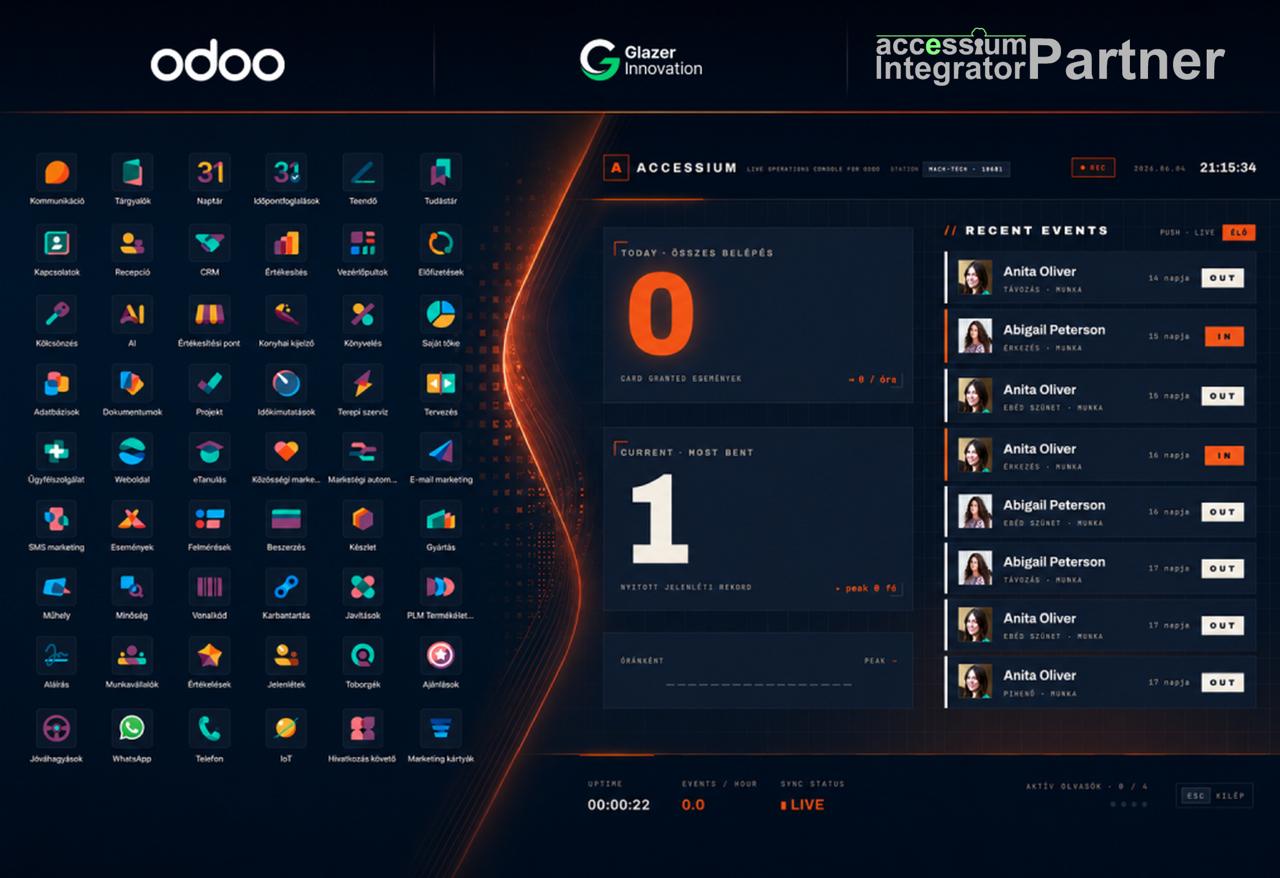
This isn't just theory: I've built a working integration between the Accessium access control system and Odoo, which I demonstrated live at the MACH-TECH - Ipar Napjai exhibition.
The solution connects Accessium's system, reachable through an API, with Odoo's Attendances module. The technical connection was only the first step. The real work was making the data fit properly into Odoo's time-tracking flow:
- You can assign an access card to an employee in a few clicks.
- A card swipe at entry automatically creates a time entry in Odoo's Attendances module.
- The card-swipe data goes into the same set of records used for management reporting, overtime calculations and the monthly close. It is part of one shared system, not a separate data silo.
The real challenge is that access control involves physical security, while the Odoo side involves business management and process logic. I connect the two.
Time-tracking data, payroll preparation, and less administration
This ERP integration isn't valuable for its own sake. The question isn't whether access control can open the door. It's whether the business uses the resulting data. If someone exports, corrects, reconciles and forwards the same data every month, this integration is more than a nice-to-have. It reduces administrative costs.
Here's what a business actually gains from it:
- Eliminating manual data entry. The system records working hours automatically, so there is no need to combine the records manually each month.
- More accurate data for payroll preparation and better control of payroll costs. Payroll preparation is based on recorded attendance, rather than estimates or incomplete check-out records.
- Less monthly administration. Fewer exports, corrections, and reconciliations needed for the month-end close.
- One system, one unified data source. Access, hours worked, reporting, and overtime all show up in the same place, so there's no “which spreadsheet is current” problem.
Time tracking is also just the first step: once the data lives in the ERP, invoicing, inventory, purchasing, preparing data for accounting, or management reporting can all build on that same foundation later. This is more than a technical connection. The business can keep building on one shared system rather than adding another isolated one.

GDPR and legal compliance
Access or time-tracking data, for example, when an identifiable employee checked in or out, typically counts as personal data, so rules for processing it need to be established in advance. Integration here is a compliance question just as much as a convenience one.
Here's what this means for your business:
- Data protection (GDPR). Attendance and time-tracking data should be handled under clear rules: encrypted data transfer, logged access, and permission management, for example. A well-designed integration can support this technically, but the legal basis, the required notices, and your internal data-handling rules always need settling separately.
- A duty to keep time records. Employers have a legal duty to maintain time records. Auditable records stored in a single system are generally easier to retrieve during an inspection or dispute than handwritten notes.
For your specific data protection and record-keeping obligations, the applicable law and your own data protection policy always govern, but the integration can provide the technical foundation for auditable, traceable data.
Who is this worth it for?
Not every business gets the same value from this. If you're only managing a handful of check-ins a month, this probably isn't your first move. But with several shifts, several locations, or a lot of manual correction, it's worth running the numbers. A few signs that the integration's payback is genuinely worth evaluating:
- High access volume, multiple shifts. The more daily card swipes and the more complex the shift pattern, the more manual work automation strips away.
- Multiple locations. A shared system is particularly valuable when you need a consistent view of attendance across multiple sites.
- Accurate payroll cost matters to you. If payroll preparation today runs on spreadsheets and memory, the integration can produce a real, measurable saving.
- You need auditable data. When you need traceable attendance records that can stand up to an inspection.
- Growth. As the business grows, Odoo isn't just a one-off software purchase. It's a platform you can expand: invoicing, inventory, or accounting can build on the same foundation after time tracking.
If you're weighing which Odoo edition fits your business, I cover that in a separate article: Odoo Community vs Enterprise: Which Is Right for Your Business?
Frequently asked questions
What does access control ERP integration actually mean?
It means access control events (card swipes) flow directly into the ERP and are automatically converted into time-tracking data within the ERP, with no manual entry. Access control and time tracking stop being two separate systems and live in one place instead.
Can any access control system connect to Odoo?
If the access control system is reachable through an API, a database connection, or a reliable export, an Odoo integration can generally be designed. I've built a working integration for the Accessium system; for a different one, the data connection, permissions, and time-tracking logic would need assessing first.
Does it work with biometric access control too?
If the biometric access control system is reachable through an API or another standard data connection, the ERP integration is technically doable. With biometric data specifically, data protection compliance, permission management, and a precisely defined processing purpose are particularly important.
Does this automate payroll too?
The integration produces accurate time-tracking data, which is the foundation payroll preparation builds on. Payroll can then be prepared far faster and with fewer errors from that data, but actual payroll processing still depends on the applicable rules and the payroll solution in use; Odoo's value in this flow is producing accurate, auditable time data.
What about GDPR?
Access and time-tracking data can count as personal data, so clear rules are needed for processing it. A well-built integration supports encrypted data transfer, logged access, and permission management, but the lawful basis and the required notices always need settling under the applicable data protection policy.
Is it worth it for a small business?
Payback depends on access volume and how complex your processes are. With multiple shifts, multiple locations, or manual payroll preparation today, the integration may pay for itself sooner, even in a smaller business. A brief assessment can establish the figures for your business.
Let's see if it's worth connecting your access control to Odoo
If access control, time tracking, and payroll preparation currently run separately for you, I can review your options in a brief assessment at no charge.
Glazer-Innovation Kft. is an official Odoo Learning Partner and accredited supplier. I can manage the whole process, from designing and building the integration to operating it.
Book a free consultation with me. I'll review the following with you:
1. Your current system, what access control system you're running, and whether it's reachable through an API or export.
2. Integration, how it connects to Odoo's Attendances module.
3. Payback, where you can reduce manual administration and which areas offer the earliest return on the investment.
4. Data protection, which GDPR and permission questions need settling up front.
The consultation is free, with no obligation.